
JSON to Image AI – Programmatic, Consistent Image Generation
Stop guessing what the model will do next. JSON to Image AI lets you describe scenes as structured JSON schemas and turn them into repeatable AI images you can version, diff and reuse. Run the same spec across Grok Image, Qwen Image, z Image, NanoBanana Pro and NanoBanana, all inside the same workflow that already powers your JSON-to-video runs.
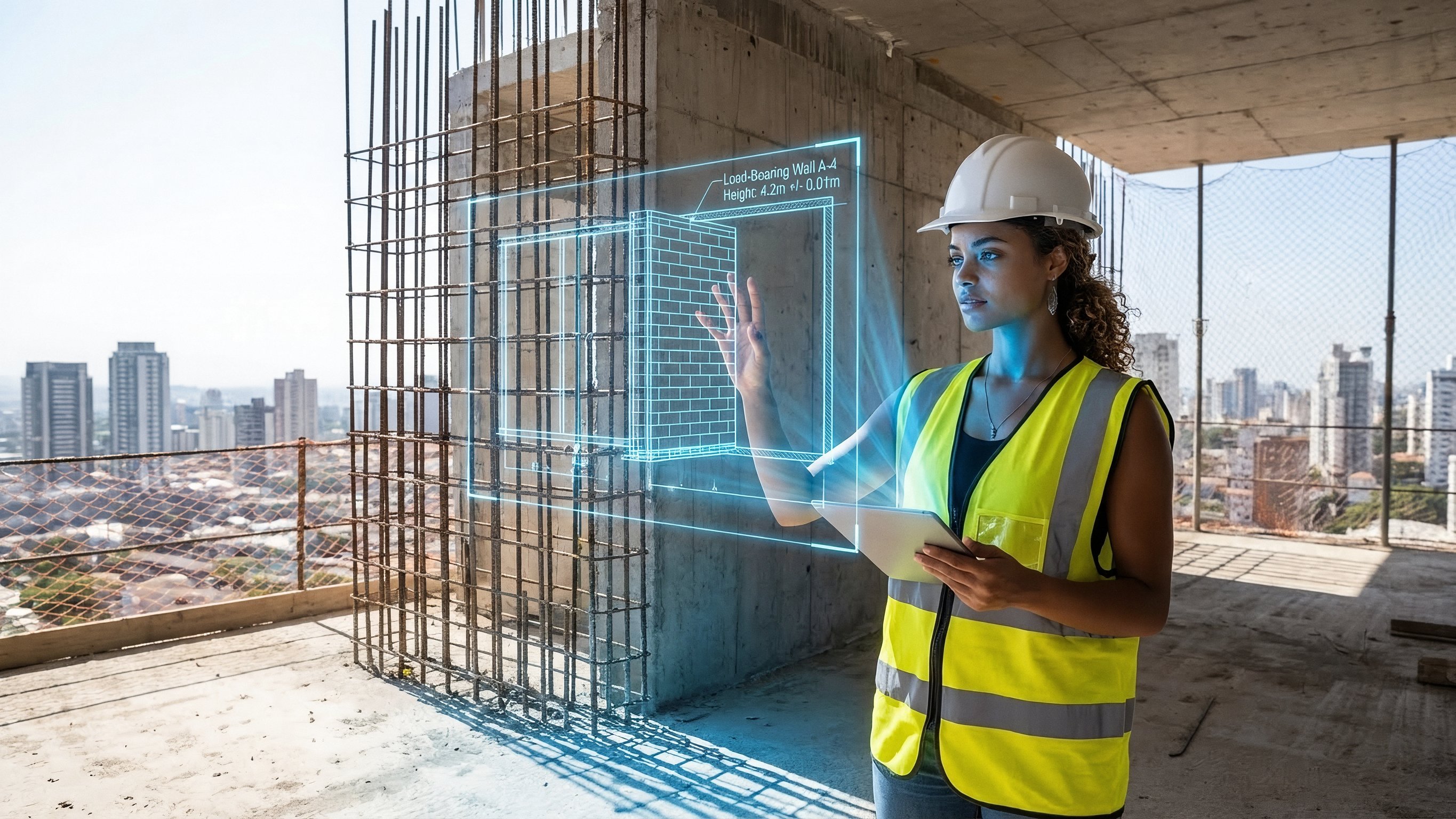
{
  "promptDetails": {
    "description": "A construction site scene with the uploaded subject holding up an AR projection of a blueprint over the unfinished structure.",
    "styleTags": [
      "Industrial",
      "Modern Architecture",
      "Midday Light",
      "Technical Schematics"
    ]
  },
  "scene": {
    "background": {
      "setting": "The top floor of a new skyscraper under construction (exposed concrete and rebar)",
      "details": "Distant city skyline visible through open walls, safety netting, hard hats, dust motes in the air, strong texture of raw concrete floor."
    },
    "subject": {
      "description": "The person defined by `[UPLOADED IMAGE]`, wearing a safety vest and hard hat, looking professional.",
      "pose": "Standing near the edge, holding an invisible tablet (or hand outstretched) projecting the overlay, looking critically at the structure.",
      "focus": "Subject and the projected blueprint are sharp; the background city is slightly softened."
    }
  },
  "overlayObject": {
    "type": "Holographic Architectural Blueprint",
    "relationshipToEnvironment": "The overlay appears as a complex, translucent blue-line schematic *over* a section of the exposed rebar/wall.",
    "transform": "Slightly angled in 3D perspective to match the construction site's structure.",
    "surfaceInteraction": "Vibrant, electric blue lines with sharp white measurements, casting a subtle blue light onto the subject's vest and concrete floor.",
    "components": {
      "section": "Load-Bearing Wall A-4",
      "measurement": "Height: 4.2m +/- 0.01m",
      "position": "Projected mid-frame, aligned with the structure."
    }
  },
  "technicalStyle": {
    "aspectRatio": "16:9",
    "photographyStyle": "Editorial, High Detail, Commercial",
    "camera": {
      "shotType": "Medium Shot",
      "angle": "Eye-level, dynamic composition emphasizing vertical lines.",
      "depthOfField": "Moderate, ensuring the raw background textures are visible but not distracting."
    },
    "lighting": {
      "type": "Harsh, Clear Midday Sun",
      "description": "Strong, directional sunlight creating sharp shadows and bright highlights on metal and concrete."
    },
    "color": {
      "palette": "Concrete grays, safety vest orange/yellow, and electric blue."
    }
  }
}What Is JSON to Image AI?
A JSON image generator for programmatic, structured prompting that replaces prompt roulette with predictable outputs.

Key JSON-to-Image Features
Everything is built around JSON first, so you can go from a structured prompt to production-ready AI images in a workflow that actually scales.

Why Choose JSON to Image AI on JSONtoVideo.org
Most tools only dress up plain text prompts. This one is designed around JSON workflows, so your AI images behave more like reliable infrastructure than one-off experiments.
Built Around JSON From Day One
Many generators bolt JSON on top of a text-prompt engine; here JSON is the primary interface. Instead of saving screenshots of prompts, you keep a clear JSON contract that is easy to read, review and diff, making every image reproducible months later.
Multiple AI Image Models, One UI
Pick between Grok Image, Qwen Image, z Image, NanoBanana Pro and NanoBanana from the same place and send them the same schema. You reduce vendor lock-in, can benchmark quality and speed, and still keep a familiar interface for your team.
Presets You Can Actually Reuse
Turn your best JSON configs into locked presets for product shots, social ads or key art. Anyone on the team can choose a preset, edit only a few fields and generate new, on-brand images without reinventing the prompt every time.
Faster Than Manual Prompt Tuning
Instead of rewriting prompts from scratch, you tweak one JSON field at a time and instantly see the impact. This makes optimisation feel more like A/B testing and less like guessing, especially when you’re generating dozens or hundreds of assets per week.
Fits Real Engineering Workflows
Because prompts are plain JSON, you can store them in Git, run pull-request reviews and track changes just like code. That makes it straightforward to plug JSON definitions into your own scripts, schedulers or image APIs and build CI/CD-style pipelines for AI art.
Aligned With JSON to Video
The same structured description of subject, environment and camera can drive both your still images and your Veo 3.1 / Seedance 2 videos. Design a scene once, generate key art with JSON to Image AI, then reuse the core fields for matching motion clips in the JSON-to-video tool.
How to Use JSON to Image AI
The workflow is deliberately simple: define your JSON once, pick a model, then reuse the same schema across as many images as you need.

Paste or Build Your JSON Schema
Start by pasting an existing JSON image definition or use the guided form to build one from scratch. Fill in fields for subject, environment, style, lighting, camera and negatives so the AI understands each part of the scene instead of guessing from a vague sentence.

Choose an AI Image Model
Select Grok Image, Qwen Image, z Image, NanoBanana Pro or NanoBanana from the model picker. The tool validates your JSON, maps it to the model’s expected parameters, and warns you about missing or unsupported fields before you hit generate.

Generate, Compare and Save Presets
Render your image, then optionally rerun the same JSON across multiple models to compare style, sharpness and realism. Once you’re happy, save the JSON as a preset so anyone on your team can reuse it for new products, campaigns or datasets with just a few edits.
JSON to Image AI FAQ
Answers to the most common questions about using JSON schemas to generate AI images with Grok Image, Qwen Image, z Image and NanoBanana models.
What is JSON to Image AI and how is it different from a normal image generator?
JSON to Image AI is a JSON image generator that lets you describe each part of an image with a structured JSON object instead of a single line of text. Fields like subject, style, lighting and camera are explicit, so you can reproduce results, share exact specs with teammates and avoid the randomness of traditional prompt-only tools.
Which AI image models does this JSON image generator support?
Right now the tool focuses on Grok Image, Qwen Image, z Image, NanoBanana Pro and NanoBanana. You can send the same JSON spec to each, compare quality, and standardise on whichever engines fit your style and budget while keeping the schema stable.
Do I need to know JSON to use JSON to Image AI?
No. You can start with the visual editor, which exposes simple fields, sliders and dropdowns while writing valid JSON under the hood. As you get comfortable, you can open the JSON view, copy and paste it into your own tools, or hand-edit advanced fields when you need more control.
Can I use JSON to Image AI for commercial projects?
Yes. Many users rely on structured JSON prompts for ecommerce, SaaS and creative work where consistency matters. You are responsible for respecting the terms of the underlying models and assets, but your JSON schemas remain private and are not used to train shared models.
How reusable are my JSON prompts across different models?
The goal is that your core schema stays the same across Grok Image, Qwen Image, z Image and NanoBanana variants. You might still tune style or strength per engine, but fields like subject, environment and camera stay stable so you can move between providers without starting over.
Can I automate JSON to Image AI with code or APIs?
Because everything is defined as JSON, it’s easy to automate around the tool. Many teams generate or store JSON in their own systems, then reuse it when calling image model APIs or when working inside the app. As long as your pipeline speaks JSON, you can plug JSON to Image AI into scripts, schedulers or low-code tools without exotic formats.
Stop Prompt Roulette—Start JSON to Image AI
Generate a few test scenes, compare models and feel how much calmer structured JSON image generation is versus free-form prompts. Your JSON schemas stay private and can always be exported to reuse in your own stack.